
SofiruxGED is an electronic document management system (EDMS) designed, architected and developed by SOFIRUX. This page explains why we built it, what we built, and how it works under the hood.
Organisations that handle large volumes of documents run into the same problems again and again:
Files circulate by email, get overwritten and nobody knows which version is the right one.
It is impossible to say who opened, modified or deleted a document, and when.
When an auditor asks "has this file been altered since it was archived?", there is no evidence-based answer.
Documents waiting for sign-off sit on a desk or get lost in email threads.
Every incoming document has to be read and filed by hand.
Files stored in clear text are readable by anyone who gets access to the server.
SofiruxGED is built and owned by SOFIRUX. Our team handled the whole product lifecycle:
Each feature below is implemented and running in the product.
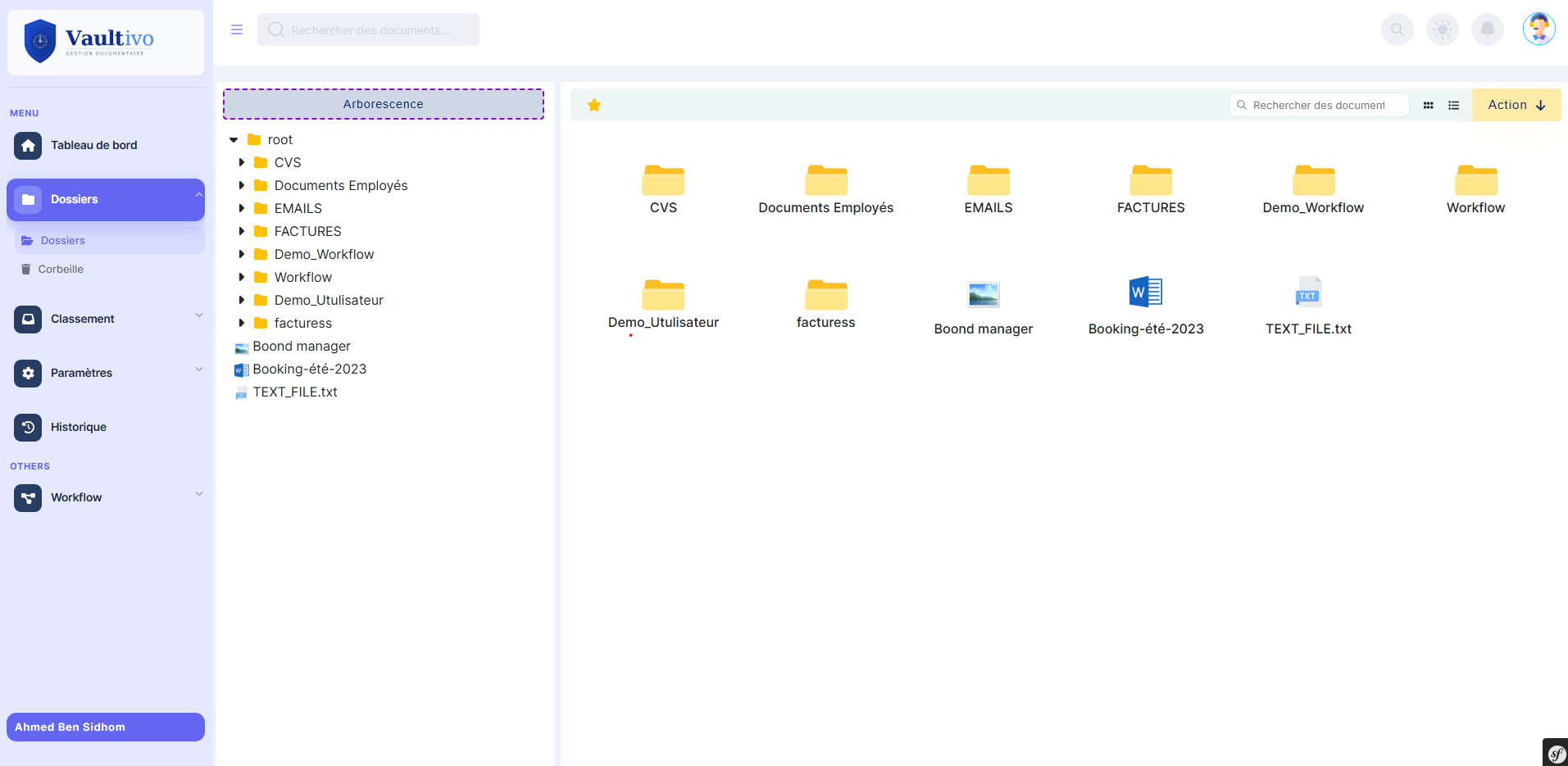
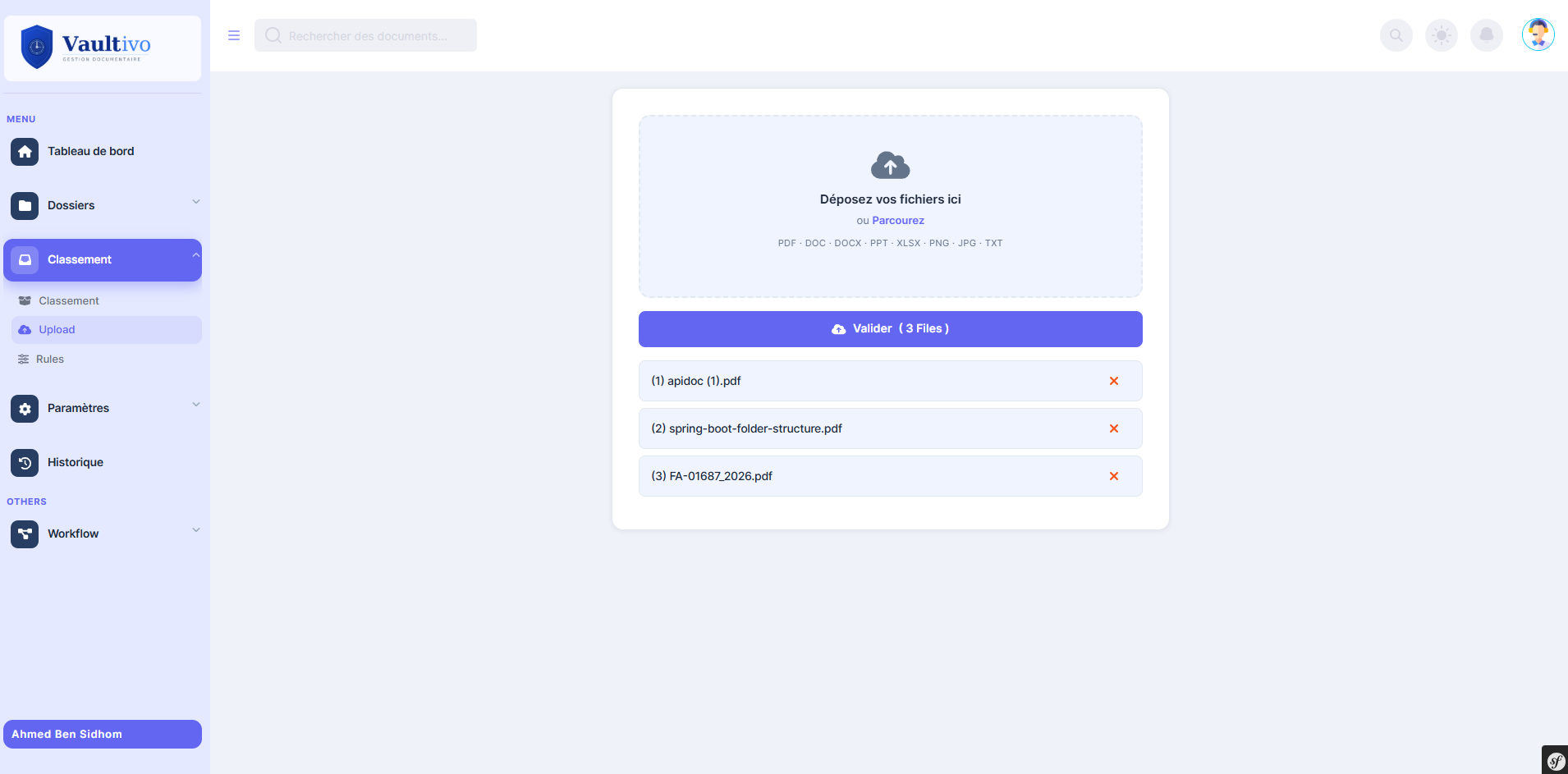
Multi-format upload (PDF, DOCX, XLSX, PPT, JPG, PNG, TXT), automatic PDF conversion while keeping the original, numbered versioning (old versions are never deleted), favourites, and a restorable trash.
Every file version is encrypted with libsodium secretbox (XSalsa20-Poly1305) using its own random key. Files are decrypted on the fly for authorised users and never written to disk in clear.
A SHA-256 fingerprint is stored for each version at upload. Administrators verify a document or a whole folder (CLI command app:verify-integrity) and get one of four statuses: intact, tampered, file missing, or no hash.
Document history (created / updated / deleted / restored, with user and timestamp), workflow audit, and document-workflow history. The history log cannot be edited from the application.
Multi-step workflows with a named approver or group per transition. Authorisation is enforced in code: a non-designated user cannot approve. Daily email digest of workflow activity.
Configurable stamp, signature or seal images applied at chosen workflow transitions, with X/Y position and scale.
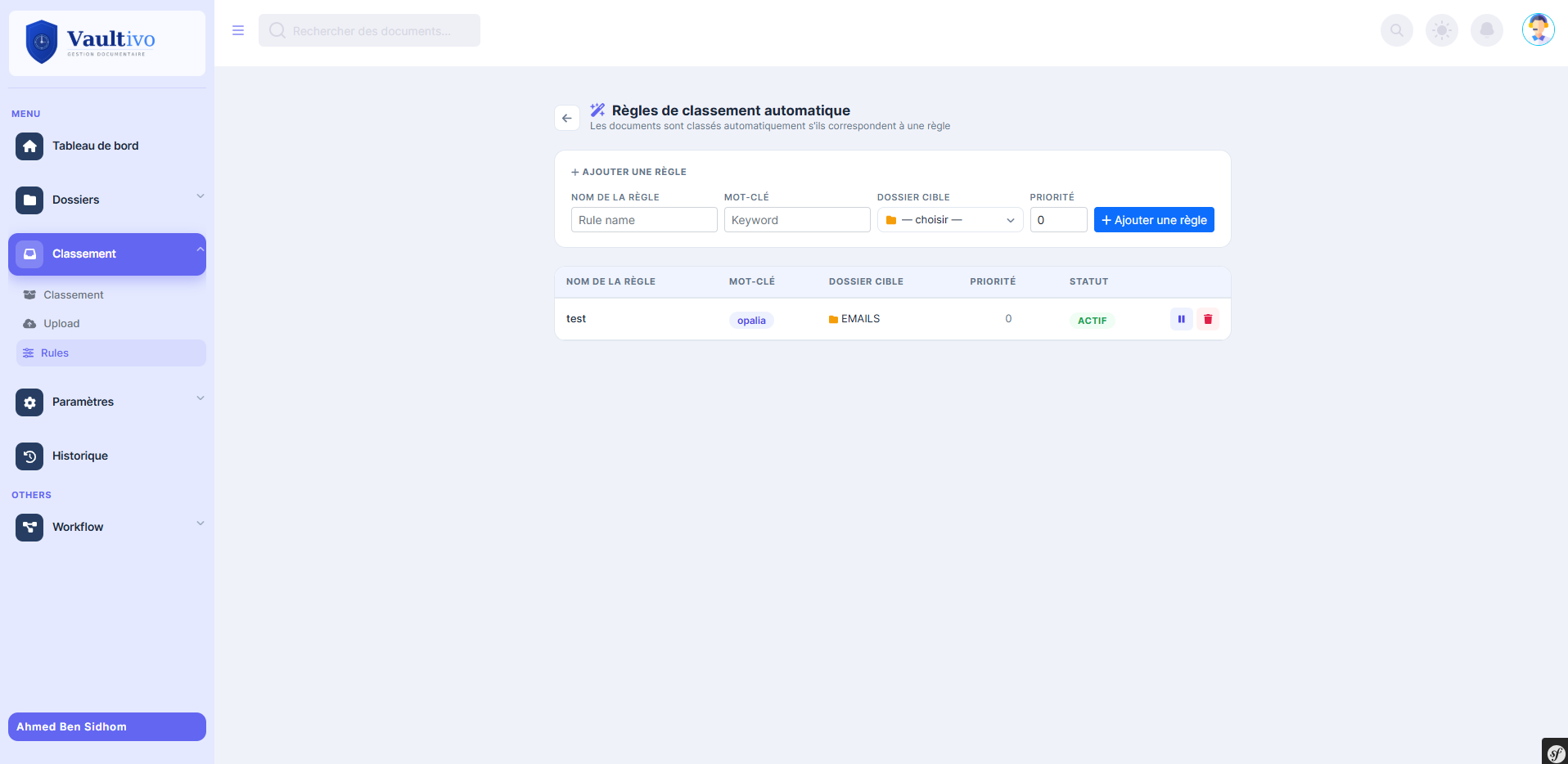
Rules combine a keyword or regex, an operator (contains, starts with, ends with, regex), a target folder and a priority. Matching documents are suggested for one-click filing.
Custom document types (invoice, contract, report…) with typed metadata fields and controlled choice lists.
Read/write permissions per folder for users or groups, recursive propagation to sub-folders. Users never see folders they have not been granted.
In-app notifications for edits, comments and approval requests. Per-document reminders with alerts 3 days before, 1 day before and at the scheduled time.
Text is extracted at upload, so documents can be searched by name, content or metadata.
Scanned documents go through the same pipeline as uploads: PDF conversion, encryption, hashing and logging.
| Component | Technology |
|---|---|
| Backend | PHP 8, Symfony 6 |
| Database | MySQL / MariaDB with Doctrine ORM |
| Cryptography | libsodium (PHP ext-sodium), SHA-256, bcrypt |
| Async processing | Symfony Messenger |
| Symfony Mailer with Twig HTML templates | |
| Frontend | Twig, Bootstrap, JavaScript |
| Document pipeline | Server-side PDF conversion, text extraction |
| Analytics | Python microservice (Flask) for Excel reports |
| Layer | Mechanism |
|---|---|
| Authentication | Email + bcrypt password, CSRF token on login |
| Authorisation | Roles (admin / user) + per-folder read/write ACL for users and groups |
| Storage encryption | libsodium secretbox (XSalsa20-Poly1305), one key per file version |
| Integrity | SHA-256 hash stored at upload, CLI tamper-detection command |
| Audit | Document history, workflow audit, workflow transition history |
| Deletion | Soft delete to trash with full restore |
Verifiable outcomes of the build. These describe what the product does, not client performance figures.
Alignment with ISO 27001 control domains means the product provides the technical controls those domains call for. It is not an ISO 27001 certification.